Gaming
Jan 23, 2026
Learn the real causes of FPS drops and micro-stutters in Fortnite and follow a complete step-by-step optimization guide to fix them. Photo by: Epic Games
If Fortnite stutters even on a powerful PC, your hardware is likely not the problem.
PCs that have strong processors, good graphics cards, fast memory, and fast storage should handle Fortnite without issues. But many players still see small stutters, frame rate drops, and inconsistent performance.
This article tells you why Fortnite might stutter even on high-end computers. It gives proven solutions that competitive players use to fix these problems.
People often mix up stuttering with low frame rates, but they're actually different things.
You can have:
120-240 FPS
High-end GPU and CPU
Still experience uneven gameplay
Frame time issues, not weak hardware, are the real cause.
Experiencing random freezes while moving?
Seeing stutters when building or rotating objects?
Getting FPS drops during fights?
The FPS counter looks good, but the game feels choppy.
Fortnite is always streaming in new stuff and putting together shaders, mostly when:
There's an update
You change your drivers
A new season or map drops
This can make the game stutter a bit, even if you have a good computer.
DirectX 12 (DX12) could give you higher frame rates, but a lot of people find it's not as stable as they'd like.
DirectX 11 (DX11) usually gives you:
Smoother frame delivery
Fewer little stutters
More dependable performance
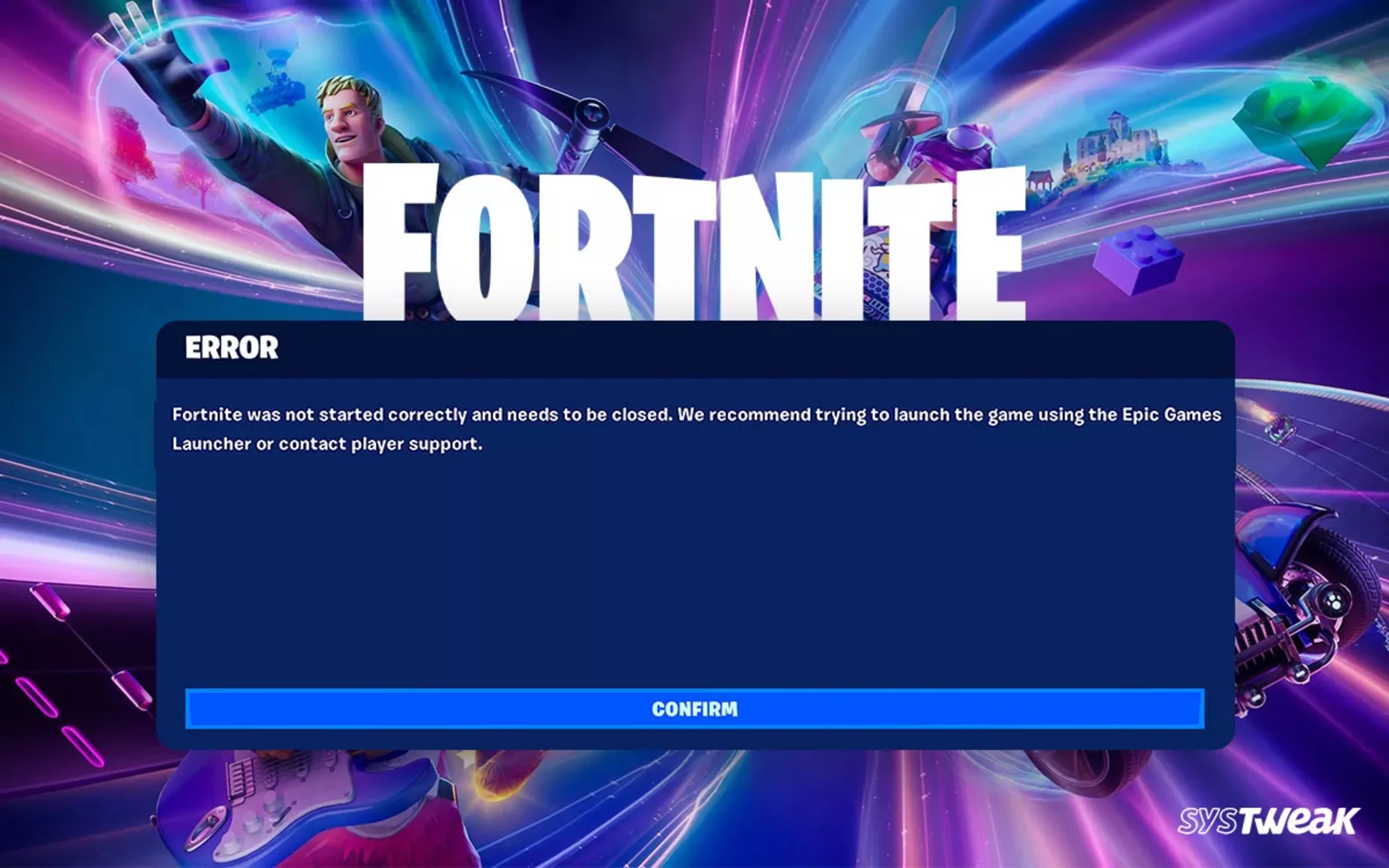
Here's what can mess with Fortnite if you're on Windows:
Game DVR or background recording
Overlays, like the ones from Xbox, Discord, or your graphics card
Fullscreen tweaks
CPU power-saving settings
Letting your FPS run wild can lead to:
Spikes in CPU use
GPU clock speed going all over the place
Problems with consistent frame timing
Even top-tier PCs can struggle when background tasks suddenly:
Drive up CPU use
Access storage without notice
Disrupt GPU timing
These settings work well, even if you have a high-end PC:
Setting | Recommendation |
|---|---|
Display Mode | Fullscreen |
Rendering Mode | DirectX 11 (test DX12 later) |
VSync | Off |
Frame Rate Limit | Match monitor refresh rate |
Motion Blur | Off |
Shadows | Off |
Anti-Aliasing | Low or Off |
Effects | Low |
Post Processing | Low |
Textures | Medium (High only with ample VRAM) |
Turning down effects and shadows can really help keep your frame rate steady.
Always cap your Fortnite.
144 Hz monitor → Cap at 140-144 FPS
165 Hz monitor → Cap at 160 FPS
240 Hz monitor → Cap at 225-240 FPS
Smooth frame delivery matters more than just having a high frame rate.
Change to DirectX 11 in the settings.
Restart the game.
Play a number of matches so the shaders can rebuild themselves.
DirectX 12 may raise the average FPS, but it often makes the game's frame rate unstable.
Settings → Gaming → Captures
Disable background recording
Xbox Game Bar
Discord overlay
NVIDIA/AMD recording tools
Overlays often cause minor stuttering during gameplay.
Right-click Fortnite executable
Properties → Compatibility
Enable "Disable fullscreen optimizations"
This stops Windows from messing with exclusive fullscreen mode.
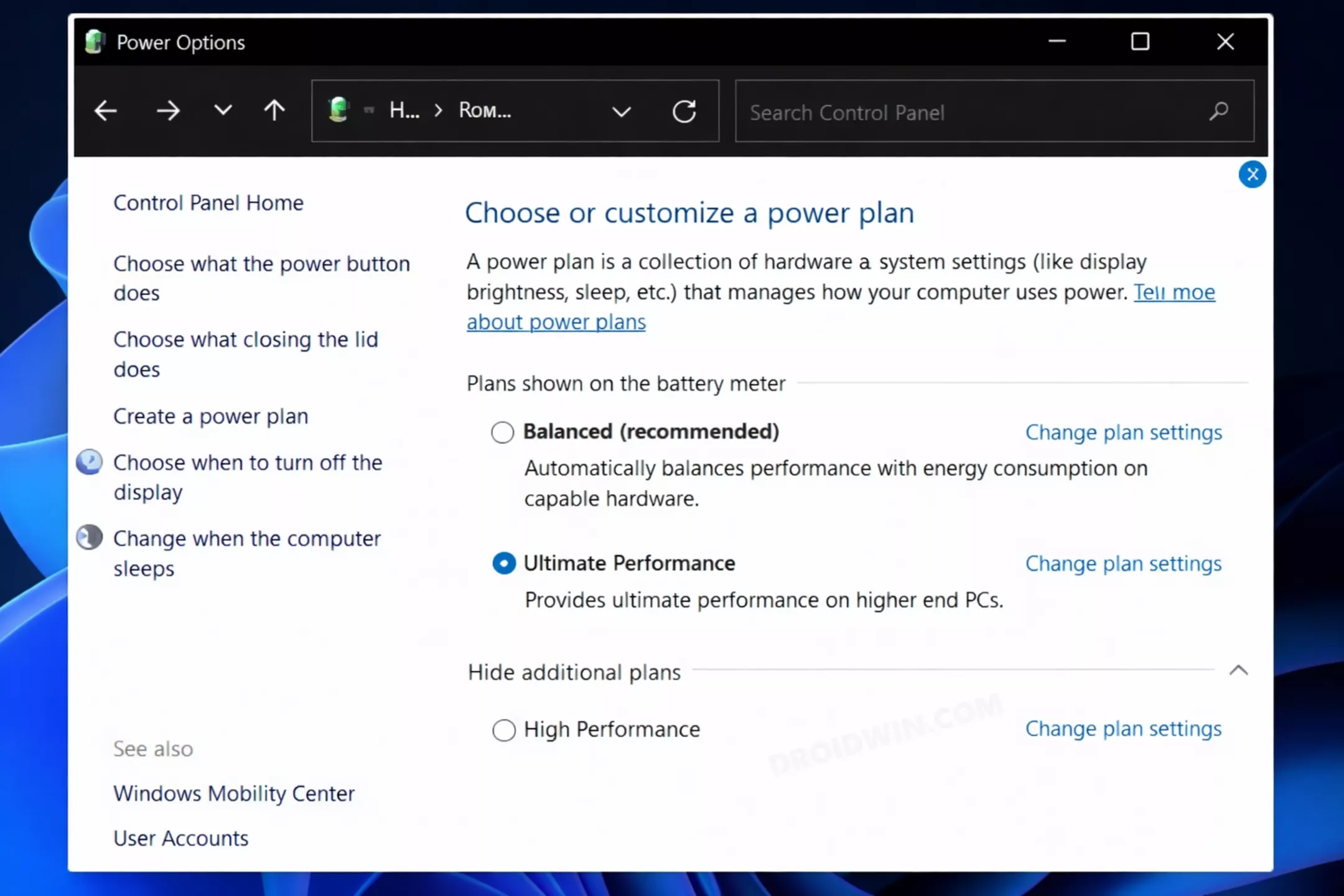
Control Panel → Power Options
Select High Performance or Ultimate Performance
This keeps your CPU running at full speed when you're gaming.
Power Management Mode: Prefer Maximum Performance
Low Latency Mode: On or Ultra
Threaded Optimization: On
Radeon Chill: Off
Enhanced Sync: Off
Power Tuning: Max Performance
Fortnite can lag a lot if you're using a slow hard drive.
Install Fortnite on an NVMe SSD
Avoid HDDs or slow SATA SSDs
Ensure at least 20% free disk space
Fast storage is very important for asset streaming.
Even top-end gear can run into slowdowns.
GPU: Below 85°C
CPU: Below 85°C
When your device gets too hot, it can slow down to prevent damage, which leads to noticeable performance dips and stuttering.
Experiencing stutters after a Fortnite update? Try this:
Reset your video settings in Fortnite.
Clear your GPU shader cache through your driver settings.
Play a few matches so Fortnite can rebuild shaders.
This usually smooths things out after big updates.
Mistake | Why It Causes Issues |
|---|---|
Uncapped FPS | Inconsistent frame times |
DX12 without testing | Shader instability |
Background recording | CPU & disk spikes |
Using FG drivers | Driver conflicts |
Ignoring storage speed | Asset loading delays |
Fortnite can grow a lot, but:
Frequent updates
Live service changes
Cross-platform requirements
Even strong computers might see a short drop in performance. Most stuttering problems can be adjusted, so they won't last.
Fullscreen mode enabled
FPS capped to refresh rate
DX11 tested
Overlays disabled
Game DVR off
High Performance power plan
Installed on NVMe SSD
If Fortnite stutters even on a powerful PC, it's probably not because your hardware isn't good enough.
The reasons are typically:
Problems with how frames are displayed
Windows causing issues
Unstable rendering settings
Storage drive issues and background tasks
If you adjust your settings correctly, Fortnite can run very smoothly, even with high refresh rates.
Prioritize keeping the game stable instead of aiming for the highest possible FPS, and the stuttering should go away.